

The Samsung RF263 tends to run into the same trouble spots: ice production drops, water from the dispenser slows down, frost gathers around the ice compartment, and the fresh-food section starts running warmer than it should. A storm or sudden power loss can make things messier. That mix is why so many owners end up chasing the wrong fix first.
This guide is written to keep that from happening. It covers the RF263 issues owners run into most often: what the display is actually telling you, low ice production, an ice maker that keeps freezing up, a dispenser flap that won’t seal, trouble after an outage, and the point where a reset stops being the answer.
We’ve spent 15+ years handling Samsung problems in homes across Atlanta and Georgia. Our aim here is simple: show you what’s safe to check on your own, what tends to waste time, and when Samsung refrigerator repair is the better move.
Ice, cooling, and display trouble all showing up together? That’s usually the moment to book a technician rather than keep guessing.
Start with the display
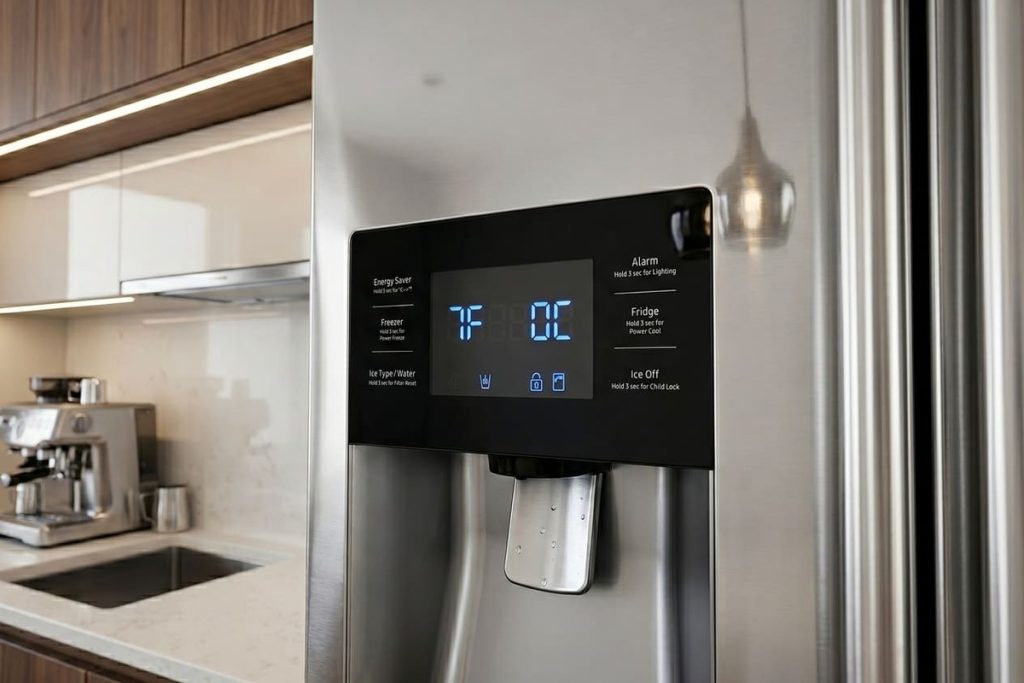
On the RF263, the display can save you a lot of time — but only if you know what it can and can’t tell you. Samsung’s RF263 user manual (RF263TE / RF263BE, document DA68-02601A) describes two display signals in its operating and troubleshooting pages. It doesn’t list numbered error codes for this model. Code lists found online for other Samsung models are a guess here, not a diagnosis.
Signal 1: “OF OF” on the temperature display. That’s Cooling Off Mode — also called Shop Mode, built for refrigerators sitting on a showroom floor. The lights work and the fan can still sound normal. But in Samsung’s own words, the compressor doesn’t run, and the refrigerator and freezer don’t get cold. If a button combination was pressed by accident, this is the first thing to rule out. Your manual explains how to exit the mode — follow it exactly.
Signal 2: the whole display blinking. Samsung says the display can blink after the doors have been opened often or a lot of warm food went in, and it stops once the compartments cool down. If the blinking continues, the manual mentions a reset (unplugging for about 10 minutes) and says a communication error between the display and the main controller can also cause it. Blinking that keeps coming back is a technician’s job.
| What you see | What it usually means | First move |
|---|---|---|
| OF OF on the display | Cooling Off (Shop) Mode — no cooling | Exit the mode as your manual describes, then recheck cooling |
| Display blinks after heavy use | Compartments are warming up after door openings or warm food | Keep doors closed and give it a few hours |
| Display keeps blinking | Possible display-to-controller communication error | Note what happened and call for diagnosis |
Checklist before touching the plug
- Take a picture of the display.
- Check whether the problem started after a storm or outage.
- Rule out Cooling Off Mode (OF OF) first.
- Don’t keep unplugging the refrigerator just to make the panel look normal.
A quick tip: a reset can clear the display. It doesn’t tell you why the problem showed up.
Low ice production usually starts on the water side
If the dispenser slows down and the ice bucket starts turning out smaller cubes, cloudy cubes, or clumped ice, start with the water path. On Samsung refrigerators, low water pressure and a restricted filter are two of the most common reasons for poor ice output.
Signs the water side deserves the first look
- Dispenser flow has slowed down.
- Ice output dropped at the same time.
- Cubes are smaller than usual.
- Ice in the bucket looks cloudy or starts clumping.
- The problem showed up after a filter change — or after the filter should have been changed.
| Symptom | Most likely direction | First move |
|---|---|---|
| Slow water and low ice production | Filter or supply restriction | Check and replace the filter as your manual describes |
| Small or cloudy ice | Low pressure or restricted water path | Check dispenser flow and household supply |
| Clumped ice in the bucket | Weak fill, warm-air entry, or melt and refreeze | Check water first, then look at the ice area |
| Problem started after a filter change | Filter fit or trapped air | Make sure the filter is fully seated |
Here’s a useful yardstick: Samsung’s manual says that under normal conditions, the dispenser fills a 5.75 oz cup in about 10 seconds. Much slower than that, and the water side deserves attention. The manual is also direct about the filter: if water isn’t dispensing or is dispensing slowly, the filter likely needs replacing — and the filter indicator lights up after about 300 gallons. Some flow doesn’t always mean enough flow.
Just had the water line installed? Samsung says to wait 12 hours after the water supply line goes in before expecting ice.
What not to do
- Don’t lower the freezer setting to solve a water-delivery problem.
- Don’t assume the ice maker itself failed just because output dropped.
- Don’t ignore the filter and supply side if water and ice got worse together.
Low ice keeps coming back after a new filter? Our Samsung refrigerator technicians will trace the water path and find what’s really restricting it.
Thawing a frozen ice maker helps once — but it doesn’t explain why it froze
This is the pattern that turns a quick fix into a repeat call. The ice maker freezes up. Then the bucket gets wet or slushy. You notice ice jammed at the dispenser and clear it out, the refrigerator behaves for a few days — and then the same thing happens again.
That’s the practical meaning of a frozen ice maker thaw on the RF263. Useful once. Expensive when it becomes a routine.
Signs the thaw is only buying time
- The bucket turns wet or slushy again.
- Frost comes back around the ice area.
- The dispenser jams again.
- The same problem returns after a few days or a week.
- Low ice production and frost show up together.
The dispenser flap owners search as “flapper broken”
The RF263 is a French-door model, not a side-by-side — but owners still search “side-by-side flapper broken,” because the symptom is familiar: the ice chute door isn’t sealing, isn’t closing flush, or is letting warm air into the chute. If that flap doesn’t close well, warm air gets into the ice compartment and the freeze-up cycle starts again.
What to look at
- The ice bucket for clumped or fused ice.
- The dispenser chute for stuck pieces of ice — look, don’t reach in. Samsung’s manual warns never to put fingers or objects into the dispenser hole, the ice chute, or the ice maker bucket.
- Whether the bucket is fully seated.
- Whether frost keeps building in the same spot.
After a power outage: Samsung says ice can melt and refreeze into a block, and the dispenser may stop working. The manual’s fix is to remove the ice bucket and discard the ice and wastewater — follow your manual’s steps for your model.
A quick tip: one thaw shows you the refrigerator can make ice again. A second freeze-up confirms the first thaw was never the fix.
A warm refrigerator section on the RF263 usually points to airflow first
If the fresh-food section has gone warm while the freezer still seems mostly fine, the first checks are simpler than many owners expect. Food blocking the vents, frost near the back wall, a drawer not closing fully, or a dirty gasket can change cooling enough to show up in the refrigerator section before the freezer gives in. Samsung’s troubleshooting table points the same way: a blocked vent, food packed too tightly, or a drawer left open.
Start here
- Look for food blocking the vents.
- Check the back wall and vent area for frost.
- Make sure doors and drawers close fully.
- Inspect the gasket for gaps, dirt, or twists — Samsung notes that dirty door seals can keep the doors from closing properly.
- Compare how cold the food actually is — not just the display reading. Samsung recommends 37°F for the fridge and 0°F for the freezer.
| What you notice | What it usually points to | First move |
|---|---|---|
| Fridge section warm, freezer mostly fine | Airflow or fan-side issue | Check vents, frost, closure |
| Frost near vents or on the back wall | Airflow restriction or repeated warm-air entry | Inspect seals and the frost pattern |
| Panel looks normal, food doesn’t | Sensor or fan behavior may be involved | Trust actual compartment temperature first |
| Problem started after a door was left ajar | Seal or moisture issue | Check closure and frost before anything else |
This is where owners start searching phrases like “temperature sensor calibration.” On this series, the useful next move is checking airflow, frost, seals, and what the display showed before assuming the sensor is the whole story.
Fridge side still warm after those checks? Book Samsung refrigerator repair — fans, defrost parts, and sensors are behind panels, and that’s work for a technician.
What’s safe to try at home — and where DIY should stop
Safety first: don’t remove panels or covers, don’t touch wiring, and don’t loosen water fittings. The checks below need no tools.
Worth doing
- Checking the display for OF OF or blinking.
- Taking a photo of the panel before resetting anything.
- Replacing the water filter the way your manual describes.
- Checking dispenser flow against the 5.75 oz / 10-second yardstick.
- Emptying clumped ice from the bucket.
- Making sure doors and drawers close fully.
- Checking for blocked vents and visible frost.
Usually a waste of time
- Unplugging the refrigerator every time the panel acts up.
- Treating repeat freeze-ups as a one-time thaw.
- Ordering an ice maker before checking water flow.
- Changing temperature settings over and over without fixing the air path.
- Forcing the dispenser when the bucket is already clumped.
A few home checks are worth the effort on the RF263 — but if the same check keeps repeating, it’s time to stop. Once the same symptom returns, or several symptoms start arriving together, the repair usually goes faster and costs less when it’s handled cleanly.
We don’t turn an RF263 visit into a fishing expedition: a direct diagnosis, explained before any work starts.
Conclusion
The RF263 tends to repeat the same patterns: display signals after outages or heavy use, low ice production tied to the water side, freeze-ups around the ice bucket, and warm-refrigerator complaints that start with airflow before they become something bigger. Sort the symptom in the right order, and the next move gets easier. Chase the wrong one first, and the refrigerator keeps sending you in circles.
You should be able to handle the safe checks without losing a weekend to bad guesses. When the same problem comes back, call us. Our EPA 608 certified, background-checked technicians use genuine OEM parts, and our repairs carry a warranty of up to six months. We’re an independent repair company, not affiliated with Samsung.
Ready to stop guessing? Book Samsung RF263 repair in Atlanta and across Georgia — same- or next-day service is available most days.
Frequently Asked Questions
What does OF OF mean on a Samsung RF263?
It means the refrigerator is in Cooling Off Mode, also called Shop Mode. The lights and fan may seem normal, but the compressor doesn’t run, so the refrigerator and freezer don’t cool. Your manual explains how to exit it.
My RF263 shows a code I found online. What does it mean?
Samsung’s RF263 manual doesn’t list numbered error codes — it describes OF OF and a blinking display. If you see something else, take a photo of it and tell the technician. Don’t rely on code lists written for other Samsung models.
Why does my RF263 keep making less ice?
Most often, start with water flow: filter condition, supply pressure, or the dispenser side. Samsung’s yardstick is a 5.75 oz cup in about 10 seconds. Low flow and low ice production usually belong to the same problem.
Does thawing a frozen ice maker count as a repair?
Not by itself. A thaw can clear the ice and get things working for a while. If the same freeze-up returns, the thaw only removed the symptom.
What does “flapper broken” mean on an RF263?
Owners use that phrase for a dispenser flap or chute-door problem. On the RF263, it usually means warm air is getting into the ice chute or bucket area because the flap isn’t sealing, or ice is blocking it.
When should I stop DIY and call for Samsung RF263 repair?
Call when the same symptom keeps returning, when the display keeps blinking, or when water, ice, and temperature problems are showing up together.