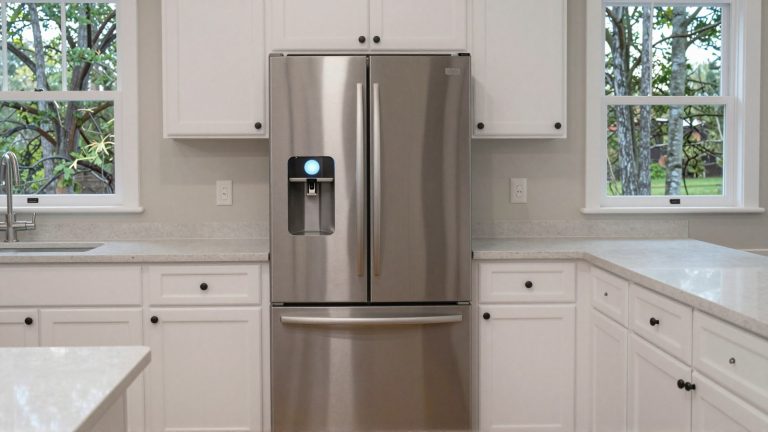

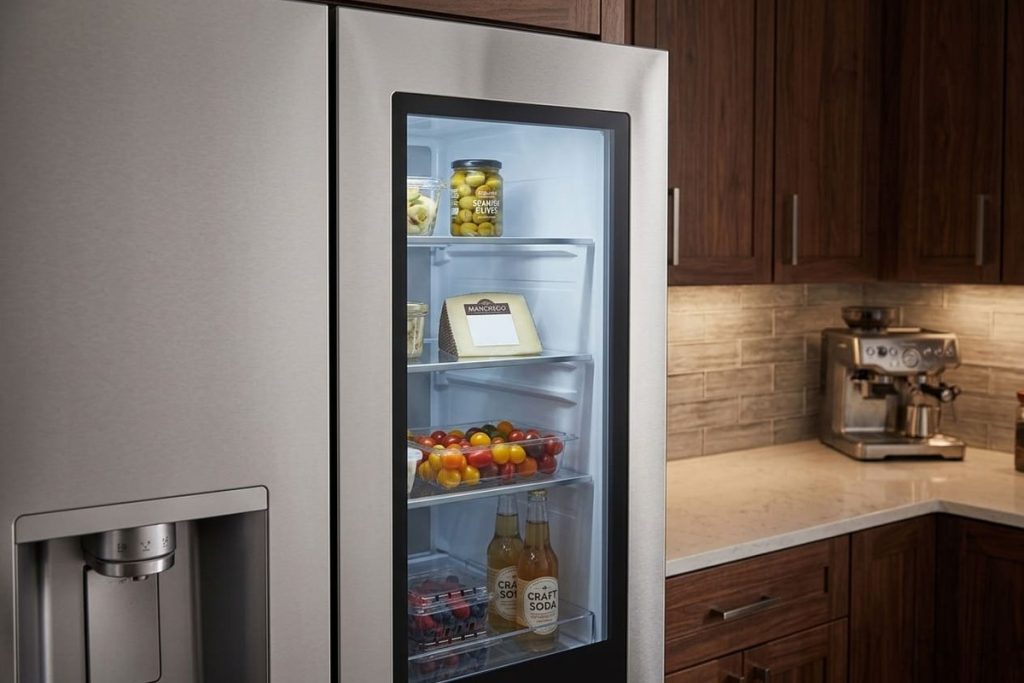
You knock twice on the glass and the inside lights up — milk, leftovers, the jar of pickles nobody admits to opening. The LG InstaView is the kind of appliance that makes your kitchen feel like something out of tomorrow. It’s smart, it’s stylish, and it lets you look inside without opening the door.
But even the most advanced appliances can hit a snag. Maybe the InstaView isn’t cooling like it used to. Maybe the ice maker stopped working, or the water dispenser slowed to a trickle. You might notice an odd smell, water where it shouldn’t be, or a fridge that sounds like it’s running but never quite gets cold.
If that sounds familiar, you’re in the right place. This guide covers LG InstaView Door-in-Door refrigerators — the LFXS and LMXS series you’ll find in many Atlanta kitchens.
We’ll unpack:
- How InstaView refrigerators work
- The most common problems and their likely causes
- The checks you can safely do yourself first
- What a technician’s diagnosis looks like
- Model notes and the maintenance LG asks for
By the end, you’ll understand what’s happening behind that glass door and what to do about it — without wasting time or money.
InstaView giving you trouble right now? Our LG refrigerator repair team offers same- or next-day visits across the Atlanta area.
Understanding LG InstaView Refrigerators
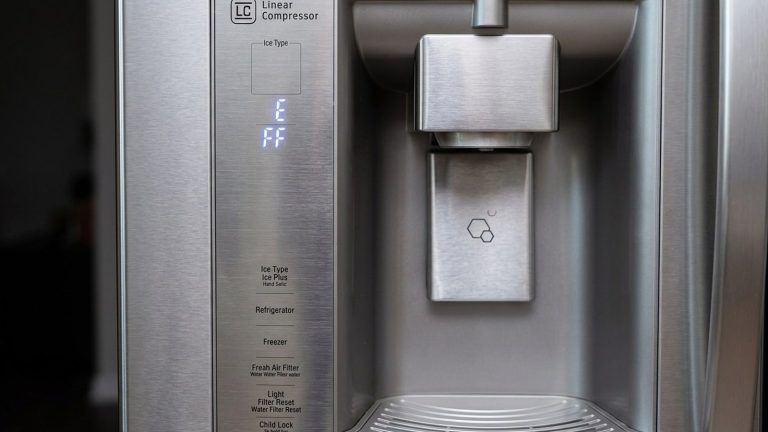
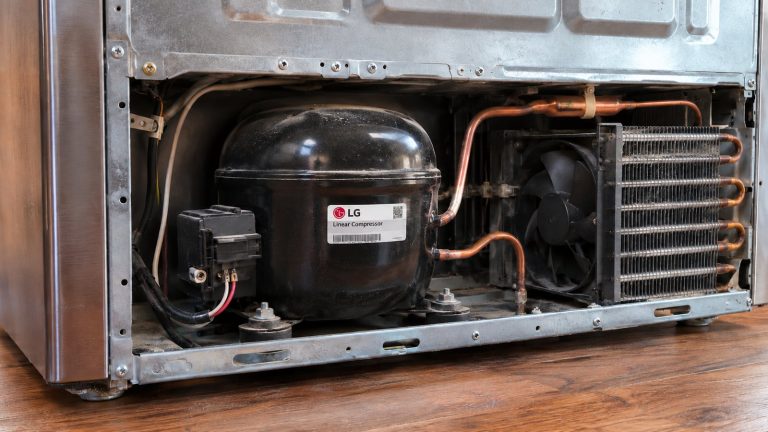
The LG InstaView isn’t just another refrigerator: it’s a connected French-door refrigerator with electronic controls, sensors, a Wi-Fi app connection and, on many models, a linear compressor (a variable-speed compressor that runs quieter and more steadily). These machines are built to hold steady temperatures in the fresh-food and freezer compartments while keeping energy use low.
Homeowners love them for their looks and the way the glass panel works. But that same complexity means that when something goes wrong — cooling trouble, a control fault, an ice maker that quits — it pays to rule out the simple things first and leave the electronics to a technician.
Key Features That Define the LG InstaView Experience
- InstaView Door-in-Door: knock twice on the glass to turn on the light inside the InstaView panel, so you can see what’s in the door compartment without opening it. LG’s manual for the LFXS28596 InstaView family says the light turns off on its own after 10 seconds.
- Door-in-Door compartment: a button on the right door handle opens the outer section, so you can reach everyday items without opening the whole refrigerator.
- LG ThinQ app and Smart Diagnosis: on Wi-Fi models, the refrigerator can send troubleshooting data to your phone through the LG ThinQ app.
- Linear compressor (many models): a variable-speed compressor that runs quieter and more steadily than an old on-off compressor.
These systems work in harmony — until they don’t. When a sensor, the control or the compressor has trouble, cooling can drop off, and a problem caught early is a lot cheaper than spoiled groceries.
Common LG InstaView Refrigerator Problems
1. InstaView Not Cooling Properly
Nothing’s more frustrating than a refrigerator that sounds like it’s running but isn’t cold inside. Before assuming the worst, check what LG lists first in its troubleshooting chart:
Quick checks:
- Is the refrigerator in Display Mode? This store setting keeps the lights and display working but turns cooling off, and the display shows OFF. On the LFXS28596 family, LG says to open either refrigerator door and press and hold the Refrigerator and Ice Plus buttons together for five seconds to exit Display Mode and turn cooling back on.
- Is it in a defrost cycle? LG says temperatures can rise slightly during defrost — wait 30 minutes and check again.
- Was it just installed, moved or without power? LG says it can take up to 24 hours to cool completely. A refrigerator that was moved on its side needs to stand upright for 24 hours before it’s plugged in.
- Are the settings right? LG’s default settings are 37°F for the refrigerator and 0°F for the freezer.
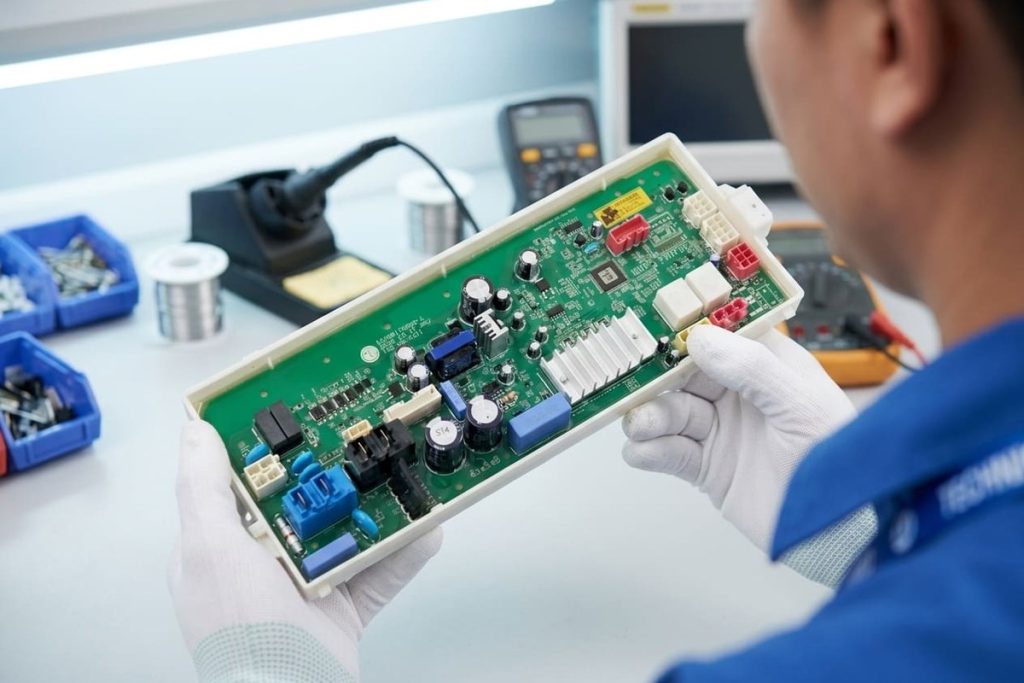
If none of those explain it, the cause may be a fan, a sensor, one of the main circuit boards that run the refrigerator, or the compressor and its refrigerant circuit. Telling those apart takes testing, and a technician should do it — and act before food spoils.

2. Water Dispenser Not Working
When the water slows to a trickle or stops, start with the filter and the supply:
- Filter: LG recommends replacing the water filter about every six months, when the filter indicator comes on, when the dispenser slows, or when ice cubes come out smaller than normal.
- Water pressure: LG’s troubleshooting section calls for 40 to 120 psi on models with a water filter. A reverse osmosis system (an under-sink water purifier) can drop the pressure below that.
- Kinked tubing: LG notes the supply tubing can kink when the refrigerator is moved during installation or cleaning.
- New installation: LG says to dispense 2.5 gallons of water to flush out air — in cycles of 30 seconds on and 60 seconds off, not all at once.
- Locked panel: a locked control panel also locks the dispenser; LG says to press and hold Lock for three seconds to unlock it.
If flow doesn’t come back after that, the problem may be the inlet valve, the dispenser or a frozen line, and a technician can test each one.
3. Ice Maker Failure
When the ice maker stops producing, the problem usually lies in one of three areas:
- Water supply — the same filter, pressure and tubing checks as the dispenser.
- The ice maker is switched off — many LG ice makers have their own power switch, and a sensor or feeler arm stops production when the bin is full.
- A fault in the ice maker or the control — this needs testing.
Give it time after a fix: ice makers need hours to restart, and on models with LG’s Craft Ice maker, LG says the first few batches after installation or a filter change may look different. A technician can use LG’s Smart Diagnosis results along with hands-on tests to avoid replacing parts that aren’t faulty.
4. Odors, Leaks and Burning Smells
Most refrigerator odors are about food and ice, not parts. LG lists unwrapped food, an interior that needs cleaning, ice stored too long and a filter that’s used up as the usual causes of bad smells or tastes.
A burning or electrical smell is different. Switch off the circuit breaker and call a technician — don’t keep using the refrigerator.
Water on the floor or inside can come from a defrost drain, a supply line or the filter. A technician should trace it, especially near the base, where wiring runs.
Something not adding up? Our LG refrigerator repair technicians can find the cause and fix it.
How Our Technician Diagnoses It
Step 1: Smart Diagnosis & Visual Inspection
The technician can use LG’s Smart Diagnosis results from the ThinQ app as a starting point, then inspect the unit for wear, ice buildup, leaks or electrical damage.
Step 2: Electrical and Temperature Testing
Using meters and thermometers, the technician checks fans, sensors, the defrost system and the compressor circuit to find out where cooling is being lost.
Step 3: Component-Level Repair
From control boards to door gaskets, the goal is to replace only what’s truly needed. Any work on the sealed refrigerant system is done by EPA 608 certified technicians.
Step 4: Testing After the Repair
After repairs, the technician confirms the fans, the compressor and the controls are working and that both compartments are on their way to the set temperatures — knowing that a full recovery can take up to 24 hours.
Notes on Specific LG InstaView Models
LFXS28596 family (LFXS28596S, LFXS28596D)
LG lists the LFXS28596 as a standard-depth InstaView Door-in-Door French-door refrigerator with a bottom freezer. Its owner’s manual covers the knock feature, Display Mode, water pressure, filter changes and the troubleshooting steps above — the best first stop for any problem on this family.
LMXS30776S
Also an InstaView Door-in-Door model, with its own owner’s manual. The basics — Display Mode, filter, water supply and ice bin — work the same way, but check that manual for the exact buttons.
Preventive Maintenance for LG InstaView Refrigerators
Regular care is the cheapest insurance against breakdowns:
Keep the Condenser Area Clean
Dust and pet hair at the condenser make the compressor work harder. LG’s instruction is to use a vacuum with a brush or crevice attachment on the condenser cover and vents — and not to remove the panel covering the condenser coil area.
Clean the Door Gaskets
Loose, dirty or cracked seals waste cold air and make the refrigerator run longer. LG recommends a clean sponge or soft cloth with mild detergent in warm water; no waxes, concentrated detergents, bleach or petroleum-based cleaners.
Change the Water Filter on Schedule
About every six months, or when the indicator comes on. LG’s manual lists the replacement cartridges for each model.
Give It Room
LG asks for at least 2 inches between the back of the refrigerator and the wall, and an installation spot where the room stays between 55°F and 110°F. Too little space can lower freezing ability and raise energy use.
Why Homeowners Call Us
PRO Appliance Repair is a family-owned, insured team with 15+ years in appliance repair, including years of hands-on work on LG refrigerators.
- EPA 608 certified, background-checked technicians — EPA 608 is the federal certification required to work with refrigerant.
- Genuine OEM parts for your LG model.
- Our warranty covers parts and labor for up to six months.
- Same- or next-day service across the Atlanta area, most days.
And if a part doesn’t actually need replacing, we’ll tell you.
How to Schedule LG InstaView Repair
- Find your model and serial numbers on the model and serial number label — your owner’s manual shows where it is on your model.
- Note what you’re seeing — the display, any alerts in the ThinQ app, and when the problem started.
- Book a visit — our technician usually arrives same- or next-day, depending on your area.
Conclusion
When problems arise with your LG InstaView refrigerator, fast and accurate help makes all the difference. Whether it’s a cooling problem, a water dispenser that slowed down or an ice maker that quit, the simple checks LG lists come first — and when those don’t fix it, a technician with the right tools and parts takes it from there.
If your LG LFXS or LMXS InstaView is giving you trouble, book a visit anywhere in the Atlanta area.
Frequently Asked Questions
What causes an LG InstaView to stop cooling?
First rule out the simple causes LG lists: Display Mode (cooling off, display shows OFF), a defrost cycle (wait 30 minutes), a recent installation or power outage (up to 24 hours to cool), or settings changed by accident. If none apply, a fan, sensor, control board or the compressor may be at fault, and a technician needs to test them.
Why is my InstaView leaking water?
Leaks often come from a clogged defrost drain, a kinked or cracked supply line, or a filter that isn’t seated. If the leak started after a filter change, check the filter first. Otherwise, have a technician trace it before the floor is damaged.
Why won’t the InstaView light come on when I knock?
LG’s manual lists a few reasons: the light doesn’t turn on while the right refrigerator door is open, it won’t respond for two seconds after the door closes, and it’s disabled while the ice dispenser is in use. Sabbath Mode (a mode that turns off lights and features for religious observance) also turns InstaView off on models that have it. If none of those apply, the panel or its sensor may need a technician’s check.
Are LFXS/LMXS models worth repairing?
Usually, yes — they’re premium refrigerators, and many faults are a single part. Check your warranty too: LG’s refrigerator warranty covers the unit for one year and the sealed system and compressor for five years, parts and labor, and linear or inverter compressors get parts-only coverage in years 6 through 10 (you pay for labor). Check your own warranty card — terms vary by model and purchase date.
Can I replace the inverter or control board myself?
We don’t recommend it. These boards carry high voltage, and the fault has to be confirmed by testing before a part is replaced.
How soon can you come fix my LG InstaView in Atlanta?
Usually same- or next-day across the Atlanta area. Have the model and serial numbers ready, and tell us what the display or the ThinQ app shows — it helps our technician go straight to the likely cause.
Disclaimer: PRO Appliance Repair is an independent repair company and is not affiliated with or endorsed by LG Electronics. InstaView, Door-in-Door and ThinQ are trademarks of LG Electronics. All trademarks belong to their respective owners.