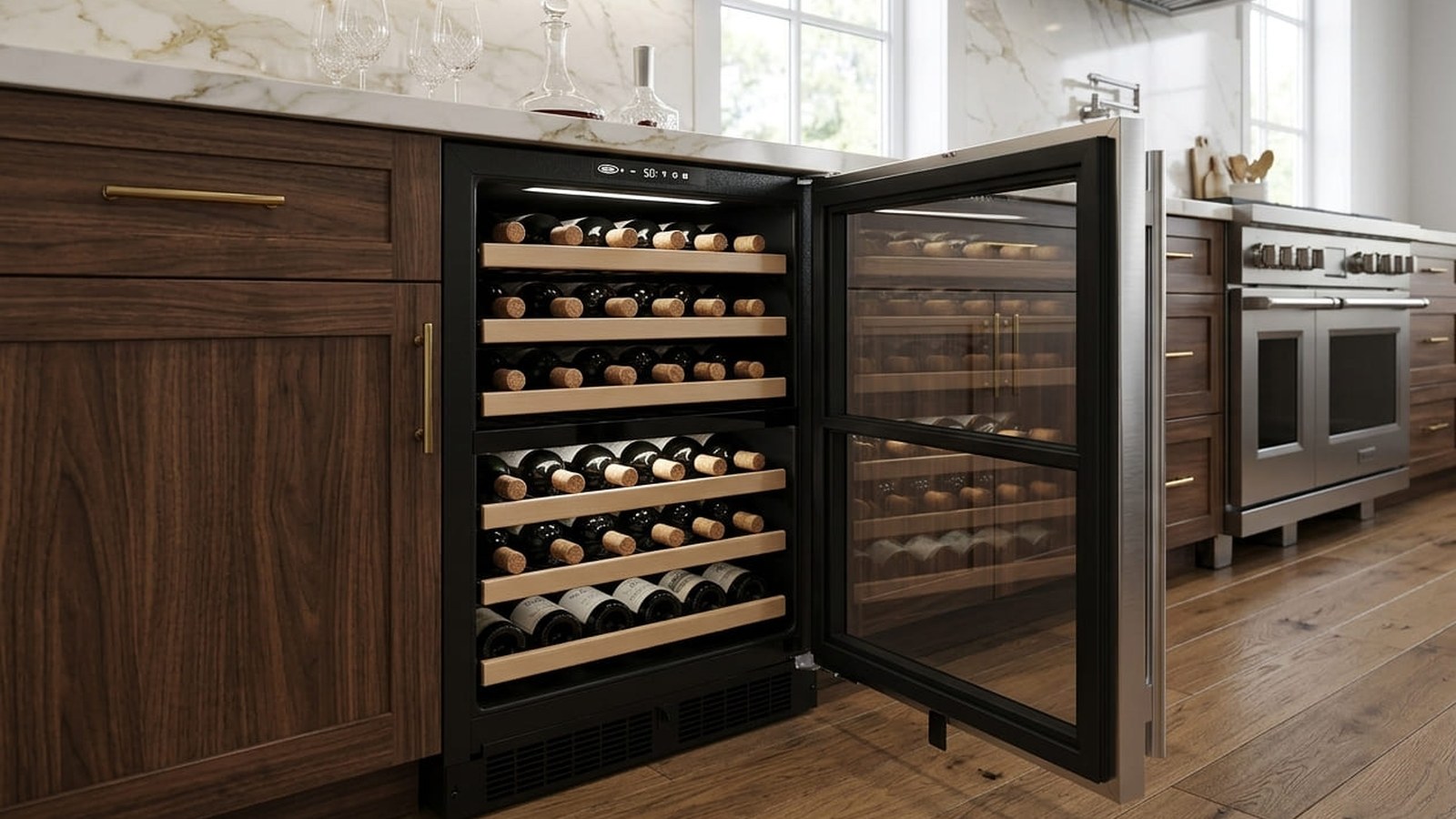
You noticed the wine didn’t feel as cold as it should, or a technician mentioned an “E01” from the service menu, and now you want to know what it means. Here’s the short version: Marvel error code E01, written E1 in Marvel’s own guides, is not a catastrophic failure signal. It is a specific, well-defined fault. In Marvel’s error log, E1 means thermistor 1 is open: the control board has lost a usable signal from that temperature sensor, either because the sensor has failed or because the connection between the sensor and the board is broken.
One detail surprises most owners. On the Marvel wine refrigerators we’re looking at here, such as the MLWD224 dual-zone model, E1 isn’t something the normal display shows. Marvel’s guide says all errors are logged in memory, and that only the door error is shown on the display and has an audible signal. E1 is read from the error log in the control’s service mode, which is meant for service diagnostics.
The practical consequence of E1 is less precise temperature control, not an immediate shutdown. Marvel’s guide for this model says that if the zone thermistor fails, the unit continues to cool in a backup mode, called Self Preservation Mode, to preserve the integrity of the contents, and otherwise operates normally. That’s the core point: the unit doesn’t stop overnight, but it’s no longer holding temperature with its main sensor.
| E01 Quick Reference | |
|---|---|
| Code | E01 (E1 in Marvel’s guides) |
| Meaning | Thermistor 1 open: no usable signal from that temperature sensor |
| Where it shows up | In the error log in service mode; the normal display only shows the door alert |
| What the unit does | Keeps cooling in Self Preservation Mode and otherwise operates normally |
| Urgency Level | Moderate: the unit keeps cooling, but temperature control is less precise |
| First Action | Check the real temperature with Marvel’s water-bottle method, and book a diagnosis |
| Related codes | E5 is the same sensor shorted; E2 and E3 are other thermistors, open; E0 and E9 are door records |
The E01 code appearing for the first time warrants investigation, but it doesn’t warrant panic. The logical sequence is: check the real temperature in the cabinet, rule out the simple causes of a warm cabinet, and have a technician confirm the sensor and its connection. Each of those steps is covered below.
How the Temperature Sensor Works in Marvel Wine Refrigerators
The temperature sensor in a Marvel wine refrigerator, more precisely a thermistor, is a small part whose electrical resistance changes as the temperature around it changes. Marvel’s guide puts it this way: thermistors provide reliable temperature readings using a resistance which varies based on surrounding temperatures. The control board reads that resistance continuously, turns it into a temperature, and uses it to decide when to run the compressor and fans.
This is why sensor accuracy matters so much. The control board has no other way to know what the actual temperature inside the cabinet is. When the thermistor and its connection are working correctly, the board holds the zone near its set point automatically. When the connection breaks, the board receives a signal it can’t use, logs the error, and falls back to Self Preservation Mode.
Marvel’s guide for the MLWD224 describes three thermistors and what each one does:
- Thermistor one (zone) is located along the right-hand side wall and is used to maintain the operating temperature within that zone. E1 is this sensor open; E5 is this sensor shorted.
- Thermistor two (evaporator) is located on the evaporator and is used for defrost. If it fails, the unit relies on a preset defrost timer and otherwise operates normally.
- Thermistor three (load) is listed as the third sensor. In its section on thermistor failure, Marvel’s guide describes the temperature alarm under it: if the zone goes past its upper or lower limit, an alarm sounds and the display flashes HI or LO.
On a dual-zone model, each zone has its own temperature control, and the display toggles between them: a white light for the upper zone and a blue light for the lower zone. Which compartment a given thermistor number belongs to on your exact unit is something a technician confirms in the service menu, by reading each thermistor’s temperature against the zone it should match.
The sensor itself is a small part, but diagnosing it correctly before replacing it matters. Marvel points out that a corroded connection can change the resistance values that reach the board. A loose or dirty connection can produce the same error as a failed thermistor, so replacing the sensor without checking the connection can cost time without fixing the problem.
Step-by-Step: What You Can Check First
The checks you can safely do yourself are about the cabinet, not the wiring. They tell you how urgent the problem is and rule out the ordinary reasons a wine refrigerator runs warm. Marvel’s guide says never to attempt to repair or perform maintenance on the unit until the main electrical power has been disconnected, and the sensor and its wiring sit behind interior panels. Leave those to a technician.
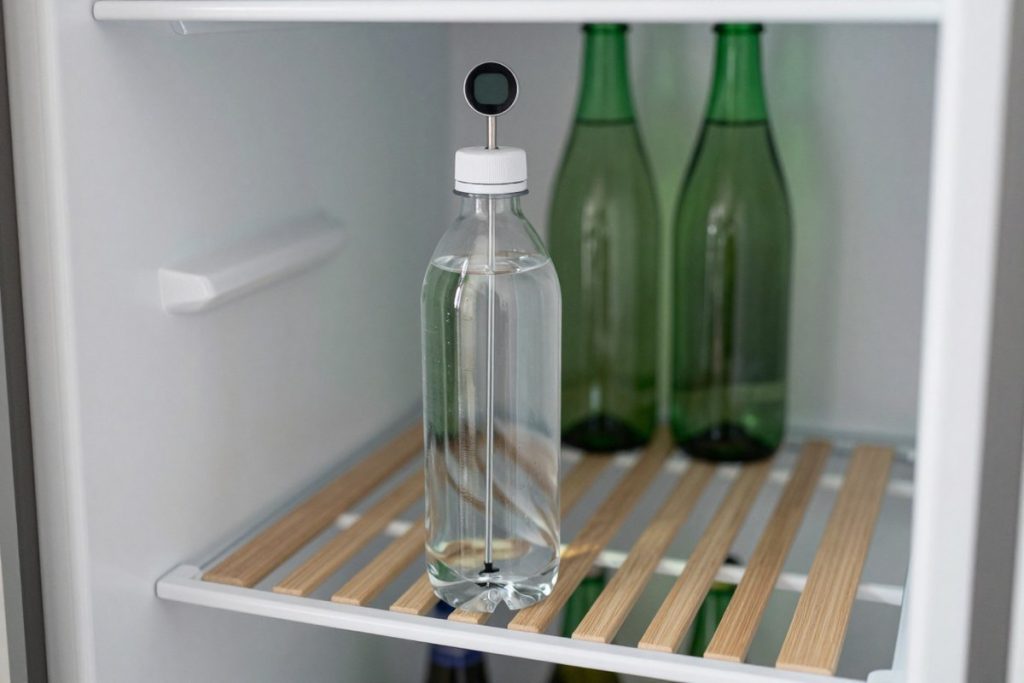
- Measure the real temperature. Marvel’s guide gives a simple method: partially fill a plastic, unbreakable bottle with water, insert an accurate thermometer, tighten the cap, and place the bottle in the area you want to check for 24 hours. Avoid opening the unit during the test, then read the water temperature. On a dual-zone model, do it in each zone. Marvel notes that air temperature doesn’t indicate product temperature, so the bottle reading is the one that counts.
- Check the door. Make sure the door closes and seals properly, and that nothing on a shelf keeps it from closing. Marvel’s guide lists the door among the first things to check when the product isn’t cold enough, and the door alert sounds if the door is left open for more than 30 minutes.
- Check the front grille. The grille at the bottom of the unit lets air flow through the condenser. Marvel says not to obstruct it, and its troubleshooting chart says to make sure nothing is blocking the grille and that the condenser coil is clean and free of dirt or lint build-up. A soft brush or a vacuum on the outside of the grille is enough. Don’t remove panels to get at the coil.
- Check the location. Marvel’s guide gives a recommended installation location temperature range of 55°F to 100°F, and lists direct sunlight and a nearby heat source as causes that affect the cabinet temperature. A wine refrigerator next to an oven or in a sunny spot will struggle.
- Check the mode. Showroom mode is designed for display: the control and the lights work, but the compressor and fans don’t. On this model, the °F/°C symbol flashes while it’s active. If the cabinet is warm and the symbol is flashing, the unit may simply be in showroom mode; your guide explains how to return to normal operation.
- Note the alarms. If the display flashes HI or LO with a tone, the zone has gone past its alarm limit. Marvel notes that the alarms are disabled for the first three hours after powering on, to let the cabinet cool to its set point.
If the bottle test shows the zone holding close to its setting and none of the simple causes apply, the urgency is low, but the logged E1 still needs a diagnosis. If the zone is drifting, move the bottles you care most about and book service.
Need the sensor and its connection checked properly? Our wine cooler repair technicians diagnose E01 across metro Atlanta, with same- and next-day appointments on most days.
How a Technician Tests the Sensor
If the cabinet checks don’t explain the problem, the thermistor and its connection need to be tested. Marvel’s guide describes this as service work, done with the power disconnected.
- Read the error log and the live readings. In service mode, a technician scrolls the error log to see which errors occurred and in what order, and reads each thermistor’s temperature directly. Marvel’s guide says thermistor performance can be verified by directly viewing the thermistor readings in service mode.
- Inspect the connection. Marvel says thermistor connections must be kept clean, that a corroded connection can change the resistance values reaching the board, and that Marvel applies dielectric grease to its thermistor connections to keep them clean and dry. If a connection is dirty, Marvel’s instruction is to replace both the thermistor and the thermistor harness.
- Measure the resistance. Marvel’s guide says a suspected thermistor can be tested with an accurate ohmmeter: with the thermistor in an ice water bath, the resistance should read 16.1 kilohms, within the small tolerance Marvel lists. The guide also includes a resistance table for other temperatures.
- Replace what failed. If the thermistor is replaced, Marvel says to re-apply dielectric grease to the connection.
| What the test shows | What it means | What usually fixes it |
|---|---|---|
| Correct resistance in the ice bath, clean connection | The thermistor itself is fine | The fault is in the harness or the control; further testing |
| Resistance well outside Marvel’s value | The thermistor has failed or drifted | Thermistor replacement |
| No reading at all (open circuit) | The thermistor or its wire is broken | Thermistor, and the harness if the connection is damaged |
| Near-zero resistance (short) | The thermistor is shorted, logged as E5 | Thermistor replacement |
| Corroded or dirty connection | Resistance values are being distorted | Thermistor and thermistor harness, per Marvel |
One important point about the reading: thermistor resistance depends on temperature, so the correct value at room temperature is different from the correct value in ice water. That’s why Marvel gives a reference point and a table. A reading taken without that reference, on a sensor that hasn’t been brought to a known temperature, can lead to unnecessary sensor replacements.
Clearing the Code After the Repair
Once the root cause has been corrected, by cleaning or replacing the connection or by replacing the thermistor, the error history and the cabinet both need checking before you can call the E01 problem solved.
- The error log. Marvel’s guide describes clearing the error log in service mode. A technician clears it after the repair so that any new error stands out.
- Turning the unit off and on doesn’t fix anything. The error is recorded in memory. Cutting the power doesn’t repair a broken sensor circuit, and if the cause is still there, the board will log the error again.
- Give the cabinet time. After a repair or a power interruption, the zone needs time to come back to its set point. Marvel’s alarms are disabled for the first three hours after powering on for exactly that reason.
- Confirm with the bottle test. Repeat Marvel’s 24-hour water-bottle check in each zone after the repair.
24-Hour Check After Service
- ☐ The bottle temperature in each zone is close to the set temperature
- ☐ The temperature is holding, not drifting up over the day
- ☐ No HI or LO alarm and no door alert while the door is closed
- ☐ The door closes and seals on its own
- ☐ If the cabinet drifts again, call back rather than turning the unit off and on
A unit that holds temperature in every zone at the 24-hour mark, with a clean error log, has had the E01 condition corrected.
When E01 Keeps Returning: What That Tells You
An E01 code that returns after the connection has been cleaned and the thermistor replaced is not usually a sign of a second sensor failure. It’s a signal that the fault is somewhere else in the circuit.
The next suspects are the harness between the sensor and the board, and then the control board that reads it. If a new thermistor with a clean, greased connection still produces E1, a technician checks the harness end to end and then looks at the board. Marvel’s guide suggests contacting Marvel’s service line for further help with diagnosis, and the service manual’s wiring diagram shows how the thermistors connect to the control.
When to call a technician:
- The water-bottle test shows a zone drifting away from its setting.
- The display flashes HI or LO, or the cabinet feels warm with the door closed.
- E1 or E5 appears in the error log, or returns after a repair.
- One zone of a dual-zone unit holds temperature and the other doesn’t.
- The unit isn’t in showroom mode, the grille is clear, the door seals, and it still won’t hold temperature.
Regular attention to the outside of the unit — a clear front grille, a clean condenser coil, a door that seals, and a sensible location — keeps the cooling system from working harder than it should. Sensor connections, though, are inside the cabinet, and checking them is part of a service visit, not home maintenance.
Recurring E01 after a repair means the diagnosis needs to go deeper. We’ll find out why, and fix it properly.
Conclusion
Marvel error code E01 follows a logical path: confirm the real temperature with Marvel’s water-bottle method, rule out the door, the grille, the location and showroom mode, and then have the thermistor and its connection tested against Marvel’s resistance value. Many E1 cases turn out to be the connection rather than the sensor, which is why Marvel puts so much weight on clean, greased thermistor connections.
The underlying urgency of E01 is about wine. A sensor fault doesn’t mean the unit will stop. Marvel designed it to keep cooling in Self Preservation Mode. It means the temperature is being held without the zone’s main sensor. Marvel recommends 55°F as the ideal long-term storage temperature for both red and white wine when serving temperatures aren’t needed, and a collection that drifts away from that for weeks can’t be put back the way it was. Addressing E01 promptly is less about saving the appliance and more about protecting what’s inside it.
Need a technician to take it from here? Book wine cooler repair with PRO Appliance Repair. We’re family-owned and insured, with same- or next-day service on most days across metro Atlanta. Our EPA 608 certified, background-checked technicians use genuine OEM parts, and our repairs carry a warranty of up to six months.
FAQ
Will my Marvel wine cooler stop cooling completely when E01 appears?
No. Marvel’s guide says that if the zone thermistor fails, the unit continues to cool in a backup mode, Self Preservation Mode, to preserve the integrity of the contents, and otherwise operates normally. What changes is precision. The unit is no longer using its main zone sensor, so check the real temperature with Marvel’s water-bottle method and book a diagnosis. Treat E01 as moderate urgency, not an emergency, but don’t leave it for weeks.
How much does a Marvel wine cooler temperature sensor replacement typically cost?
Without knowing your model and what the test shows, a reliable number isn’t possible. A thermistor replacement is one of the simpler repairs on a wine refrigerator. The bigger question is whether the fault is the thermistor, its harness, a corroded connection, or the control. Marvel’s own instruction for a dirty connection is to replace both the thermistor and its harness. An accurate diagnosis is the cost-effective starting point.
Does E01 affect both zones in a dual-zone Marvel wine cooler?
Each zone on a dual-zone unit has its own temperature control, and an E1 entry points to one thermistor, not the whole unit. That’s why owners sometimes notice one zone drifting while the other seems fine. Marvel’s guide numbers the thermistors rather than naming upper and lower zones in the error log, so a technician confirms which zone the failed sensor belongs to by reading each thermistor in service mode.
Can I clear the E01 code myself without any tools?
E1 is stored in the error log, which is read and cleared in service mode, a menu meant for service diagnostics. Turning the unit off and on doesn’t repair the circuit, and if the cause is still there, the error will be logged again. The useful things you can do yourself are the bottle test, checking the door, the grille and the location, and making sure the unit isn’t in showroom mode.
How long do Marvel temperature sensors normally last before failing?
Marvel doesn’t publish a lifespan for the sensors. What Marvel’s guide does say is that corrosion at the connection can distort the readings, and that Marvel protects those connections with dielectric grease to keep them clean and dry. Moisture getting into the cabinet, for example through a door that doesn’t seal, is the kind of condition that works against a clean connection over time.
Featured Q&A
1. What causes the Marvel E01 error code to appear?
E1 is logged when thermistor 1 is open: the control board can’t get a usable reading from that sensor. The cause is either a failed thermistor or a broken or corroded connection between the thermistor and the board. Marvel notes that a corroded connection alone can change the readings that reach the board.
2. How do I clear the E01 code on my Marvel wine cooler?
First, have the cause corrected: the connection cleaned or replaced, or the thermistor replaced. The error log is then cleared in service mode, which Marvel’s guide describes as a service diagnostics menu. After the repair, give the cabinet time to come back to its set point and confirm it with a 24-hour water-bottle test.
3. Is the Marvel E01 code dangerous, or just a warning?
E1 is a sensor fault, not a safety emergency. Marvel’s guide says the unit keeps cooling in Self Preservation Mode and otherwise operates normally. The risk is to the wine: temperature control without the main zone sensor. Check the real temperature, move your most valuable bottles if the zone is drifting, and book a diagnosis within a few days.
4. What happens if I ignore the Marvel E01 error and keep using the cooler?
The unit keeps cooling in its backup mode, but not with the precision of a working sensor. Over a day or two, the risk is low. For a collection you intend to age over months or years, letting the temperature wander away from Marvel’s recommended 55°F long-term storage temperature is a risk not worth taking. If the display flashes HI or LO, don’t wait.
PRO Appliance Repair is an independent repair company and is not affiliated with, sponsored by, or endorsed by Marvel Refrigeration. Brand and model names are used only to identify the appliances this page is about and remain the trademarks of their respective owners.